
Quicktip for Align Islands By World Axis
The Align Islands By World Axis tool can align all selected UV islands by how their geometry is aligned in worldspace.
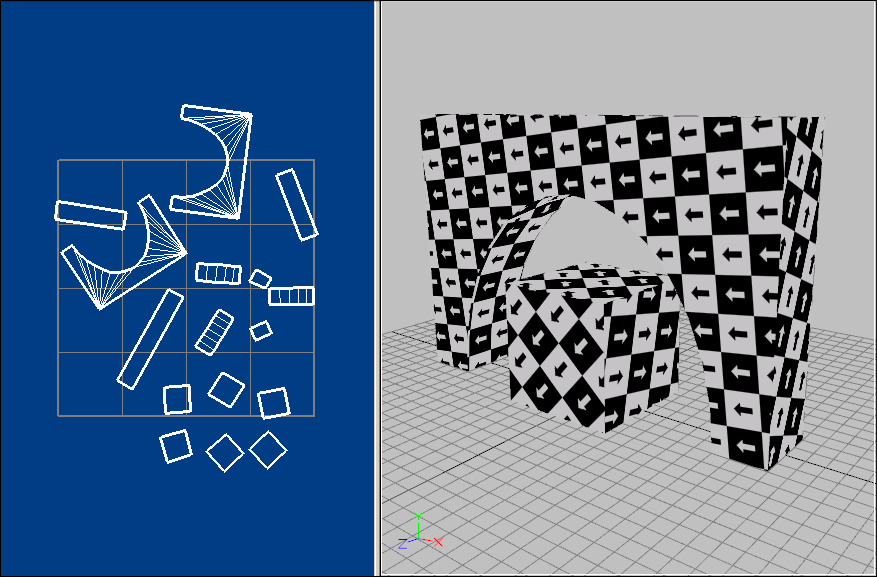
By using the arrow map, we can now see the UVs are not aligned to the world axis. To align them, click Ctrl+A to select all UV islands, and then click 2D Tools | Align Islands | By World Axis:
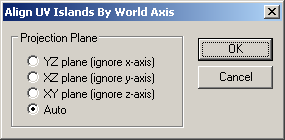
Use the default option Auto, and click OK:
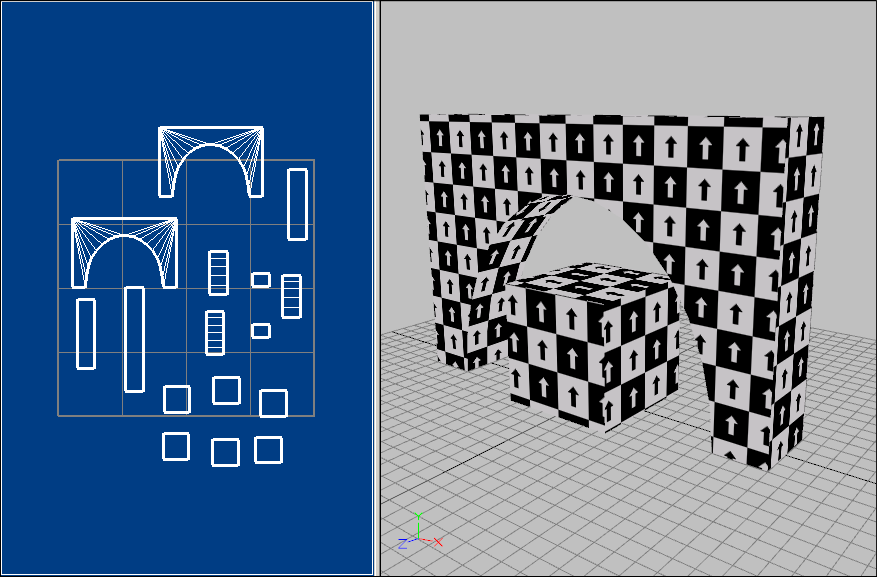
The UVs are now aligned to the world axis, as shown by the arrow pointing up.
That's it! If you have any other questions, please let us know.
Setup
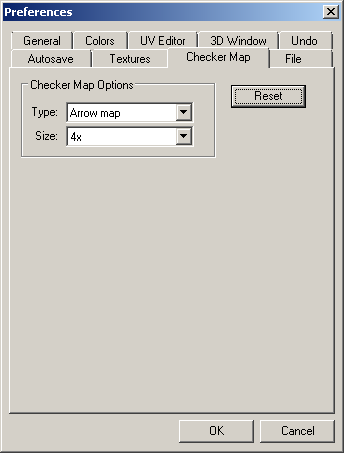
To visualize the results of the Align Islands By World Axis tool, click on the checker map button from the main toolbar. From the main menu, click Options | Preferences | Checker Map, and select the arrow map type:
By using the arrow map, we can now see the UVs are not aligned to the world axis. To align them, click Ctrl+A to select all UV islands, and then click 2D Tools | Align Islands | By World Axis:
Use the default option Auto, and click OK:
The UVs are now aligned to the world axis, as shown by the arrow pointing up.
That's it! If you have any other questions, please let us know.